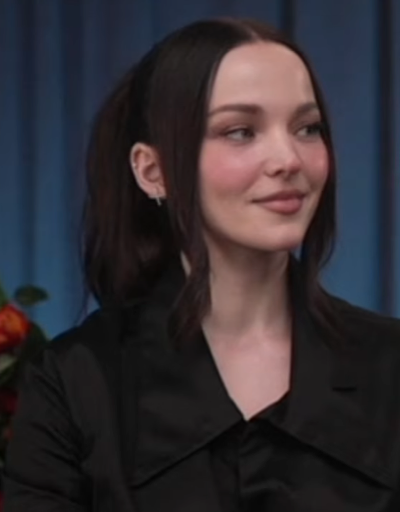
Dove Cameron AI Voice Generator — Free Text to Speech
Create realistic Dove Cameron-style audio in seconds — type text, preview, generate and download right in your browser.
Free · No sign-up · Works in your browser
Enter your text
Choose a voice
By clicking Generate you confirm that you have obtained explicit written authorization from the voice owner or provider for any voice you provide, and that you will use the generated audio only for lawful purposes. See our Terms of Use.
How to make Dove Cameron-style audio
Turn lines into downloadable audio without installs. Works on desktop and mobile browsers — play the preview, then generate and download an MP3.
- 1
Enter your text
Type or paste the lines you want spoken. Use clear sentences; the free tool accepts up to 300 characters per generation.
- 2
Pick and preview
Select the Dove Cameron-style voice and play the instant preview clip to hear the tone before you generate final audio.
- 3
Generate audio
Click Generate. Our servers produce the AI Text to Speech (TTS) audio in seconds and the player appears on the page.
- 4
Play or download
Listen, tweak if needed, then download the MP3 file for use in videos, memes, voiceovers and social clips.
Dove Cameron AI Voice Generator features
Fast, browser-based Text to Speech with Dove Cameron-style voices, instant preview clips and MP3 download — no account required.
100% free to start
Use the Dove Cameron AI Voice Generator for free from the page. No sign-up needed to create or download audio.
Free and Pro generation limits
Free requests allow up to 300 characters per generation. Upgrade to Pro ($9.9/month) to raise the per-generation limit to 1,000 characters.
Play an instant preview
Every voice includes a short preview clip so you can compare deliveries before generating the final TTS file.
Downloadable MP3 output
Final audio is produced on our servers and can be downloaded as an MP3 for editing or posting.
Large voice library
Choose from 195+ AI voices across Cartoon, Anime, Gaming, Music, Meme, Character and Celebrity categories, including Dove Cameron-style options.
Use responsibly
Made for fan edits, voiceovers and social clips. Do not use generated audio to mislead, impersonate someone in real interactions, or commit fraud. Follow our Terms of Use.
No install, works in-browser
No app or download required — generate and use audio directly on desktop or mobile.
What creators make with the Dove Cameron-style voice
This voice fits short, character-driven audio. Common projects include:
TikTok and Reels voiceovers
Add a Dove Cameron-style narration to fan edits, transitions or trend videos.
Fan dubs and character clips
Create quick dubbed scenes and character lines with a conversational, expressive delivery.
Video intros and channel stingers
Use short lines for channel intros, trailers or fan-made promo clips.
Memes, remixes and soundboards
Export one-liners as MP3s for memes, remixes and audio libraries.
Voiceovers for edits
Narrate montages, reaction videos or compilations with a consistent synthetic delivery.
Why creators choose this Text to Speech tool
Quick audio that lowers the barriers to making voice content.
Save production time
Type, preview and get final audio in seconds so you can stay in your editing flow instead of scheduling recordings.
Experiment cheaply
Start free to test lines and formats without buying gear or hiring talent; upgrade only if you need longer TTS runs.
Simple output for social
Download MP3s that drop straight into editors and posting apps — no extra conversion or tools required.
Creators using Dove Cameron-style TTS
Examples of who benefits from fast synthetic voice clips.
“I auditioned five deliveries in minutes and picked the best one. The preview clip made choosing faster than recording.”
“Quick TTS drafts helped me test a trend without booking vocals. Downloaded MP3s slot right into my editor.”
“The Dove Cameron-style tone matched my edit and made the joke land. Super fast to iterate.”
About the Dove Cameron-style voice
Dove Cameron’s delivery often sits in a clear midrange with a bright, conversational tone and expressive phrasing. The AI recreation focuses on that steady cadence, light inflections and crisp consonants so short lines sound familiar to fans. Built with voice-cloning Text to Speech, the model captures pacing and tonal balance for short spoken lines; play the instant preview to hear how the Dove Cameron-style delivery matches your script before you generate the final MP3.
Frequently asked questions about the Dove Cameron AI Voice Generator
Is the Dove Cameron AI Voice Generator free to use?
Yes. The tool is free to use on the page with no sign-up required. The free option allows up to 300 characters per generation; upgrading to Pro ($9.9/month) raises the per-generation limit to 1,000 characters.
How does the Dove Cameron Text to Speech process work?
Type your text, choose the Dove Cameron-style voice and play the instant preview. Click Generate and our servers produce the TTS audio in seconds; the player then appears on the page for playback.
Can I download generated audio as an MP3?
Yes. Every generated clip can be downloaded as an MP3 file for use in videos, social posts, voiceovers and memes.
How can I tell if a clip is AI-generated?
AI clips often have very consistent pacing and clearer-than-natural enunciation. Our player labels the voice as Dove Cameron-style and supplies a preview so you can confirm the synthetic delivery before you download.
What kind of voice does Dove Cameron have?
Fans describe her voice as youthful, bright and conversational with melodic phrasing. The Dove Cameron-style TTS emphasizes that midrange warmth and clear articulation for short spoken lines.
Who is the famous AI voice and what else can I try?
Many creators use celebrity-style TTS for fan edits. On our site you can also try other celebrity-style voices or character-style options for alternative tones and deliveries.
More voices like Dove Cameron
Try other celebrity-style voices on our site — David Attenborough, Donald Trump, Drake, Kanye West, Narendra Modi, Amitabh Bachchan and more.
Fan-made parody tool, not affiliated with or endorsed by the rights holder; users are responsible for how they use generated audio.