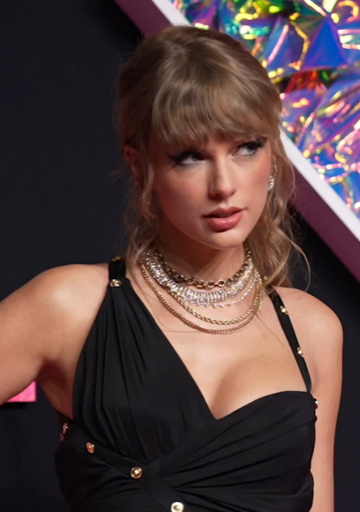
Taylor Swift AI Voice — Free Text-to-Speech
Type up to 300 characters, click Generate, and hear a warm, friendly singer-style clip in seconds — we synthesize audio on secure servers and playback starts in your browser (fan-made Taylor-style voice; not affiliated with or endorsed by rights holders).
100% free — no sign-up required — works on desktop and mobile browsers
Enter your text
Choose a voice
By clicking Generate you confirm that you have obtained explicit written authorization from the voice owner or provider for any voice you provide, and that you will use the generated audio only for lawful purposes. See our Terms of Use.
How to use Taylor Swift AI Voice online
Make a short, singer-style clip quickly without installing anything. Follow the four simple steps below — you type here and our servers create the audio so playback appears on the page in seconds.
- 1
Type your text
Enter the line you want spoken or sung. Keep each generation under the 300-character limit.
- 2
Pick & preview
Choose the Taylor Swift-style voice and play the instant preview clip to check tone, pacing and delivery before you generate.
- 3
Generate
Click Generate. We synthesize the audio on secure servers and playback starts in the page in seconds — no extra downloads needed to listen.
- 4
Download & share
If it fits your project, download the MP3 file and add it to videos, memes, voiceovers, gaming clips or social posts.
Taylor Swift AI Voice features
Key features you’ll notice while creating short, singer-style audio.
300-character generation
Each clip accepts up to 300 characters — built for short hooks, captions and quick voice lines.
Instant preview clips
Every voice includes a ready-to-play preview so you can audition tone and delivery before producing audio.
Downloadable MP3
Save generated audio as an MP3 file for editing or uploading to social platforms and editors.
Large voice library
Access 195+ AI voices across Cartoon, Anime, Gaming, Music, Meme, Character and Celebrity-style categories.
Singer-style AI recreations
Voices are AI recreations (’-style’ voices) made with voice-cloning text-to-speech for a performance-like sound.
No install, works on any device
Use the tool in modern desktop or mobile browsers — no app download or installation required.
Taylor Swift AI Voice ideas for TikTok, fan edits and social
This warm, friendly singer-style voice fits short fan projects and social clips. Below are common ways creators use it.
TikTok cover hooks
Create short sung hooks or lyric snippets in a Taylor-style voice to layer into TikTok covers, mashups or duet clips.
Fan edits and highlight intros
Add a brief spoken or sung intro to fan edits, highlight reels and montage videos to set tone quickly.
Lyric memes and remixes
Turn witty captions or remixed lyrics into vocal clips for meme threads and short-form comedy.
YouTube Shorts and voiceovers
Drop a singer-style vocal line into shorts, trailers or reaction clips as a quick voiceover element.
Streaming overlays and alerts
Use short vocal lines for stream alerts, scene transitions or highlight reels to match a warm, friendly vibe.
Benefits of using this Taylor Swift AI Voice generator
Outcome-focused gains creators tell us they get from the tool.
Make content faster
Create finished vocal clips in seconds instead of scheduling recording sessions or hiring voice talent.
Lower production costs
Produce singer-style audio for videos and memes without studio fees or actor payments.
Skip technical barriers
No audio engineering needed — use previews and ready-to-download MP3s to add sound to edits immediately.
Work on any device
Create and retrieve clips from desktop or mobile browsers so you can edit and publish on the go.
Who uses the Taylor Swift AI Voice
Creators and fans use this voice for short, recognizable vocal ideas and quick edits.
“I make 15-second cover hooks for TikTok. The preview helped me pick the right take, and the MP3 was ready to drop in my edit.”
“I use the voice for parody voiceovers and intros. It saves me hours compared to recording and cleaning audio.”
“I add singer-style lines to highlight reels and fan edits. No install and no account made it fast to try ideas.”
About the Taylor Swift-style voice
The Taylor Swift-style voice aims to reproduce the style’s warm, friendly timbre and singer delivery. Key traits include clear midrange warmth, slightly breathy phrasing on emotional syllables, and natural, conversational pacing that supports short melodic turns. On hooks and short lines the model leans into light melodic inflection so phrases read like a performance rather than a flat read. Technically this voice is an AI recreation (a “-style” model) built with voice-cloning text-to-speech techniques; it captures recognizable style elements without claiming any official connection to the artist.
Taylor Swift AI Voice FAQs
Is the Taylor Swift AI Voice free to use?
Yes. This Taylor Swift AI Voice generator is 100% free to use with no sign-up or account required. You can preview and generate clips directly on the page at no cost.
How does the Taylor Swift AI Voice generator work?
Type your text (up to 300 characters), choose the Taylor-style voice, then click Generate. We synthesize the audio on secure servers and playback starts on the page in seconds — no app download or installation required.
Can I download the generated audio as an MP3 (MP3 download)?
Yes. Every generated clip can be downloaded as an MP3 file for use in videos, social posts and edits.
Are there limits to how much text I can generate?
Each generation accepts up to 300 characters. For longer scripts, split your text into multiple generations and stitch the MP3 files together in an editor.
Can I use this audio commercially or claim endorsement?
Commercial use and claims of endorsement depend on rights and platform rules. This is a fan-made parody-style tool and not affiliated with or endorsed by the rights holder. Consult our Terms & Content Policy at /legal for details and contact /contact/dmca for takedown or licensing questions.
Am I allowed to impersonate someone with this voice?
No. Do not use generated audio to defraud, impersonate in a way that harms others, or misrepresent endorsements. Consult our Content Policy and Terms for permitted use and report abuse via /contact.
How do you handle takedown or copyright issues (DMCA)?
We respond to valid rights-holder requests. If you believe content on the site violates your rights, use our DMCA takedown form at /contact/dmca or see the policy at /legal for steps and contact information.
More voices like Taylor Swift
Try other popular voices on our site: Billie Eilish, Ariana Grande, Morgan Freeman, Cristiano Ronaldo, Gojo, Michael Jackson
This is a fan-made parody tool and is not affiliated with or endorsed by the rights holder; users are responsible for how they use generated audio.